Market tools to explore. Connected accounts to do more.
Follow the calendar and market movements from Android, then bring your MT5 accounts into the same dashboard for monitoring, trade management and account alerts. Features are available according to your plan.
Multiple accounts
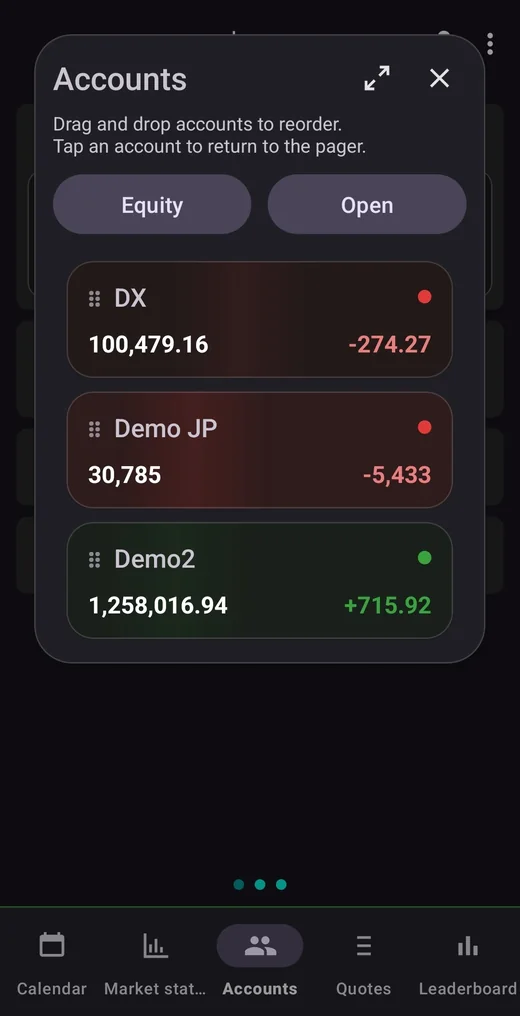
Bring demo and live MetaTrader 5 accounts together in one dashboard. Paired accounts receive live updates while their terminals and companion EAs are running.
High-frequency refresh
Plan-based refresh pacing keeps active users closer to current account, quote and position state. Ultimate targets the fastest refresh tier.
Basket control
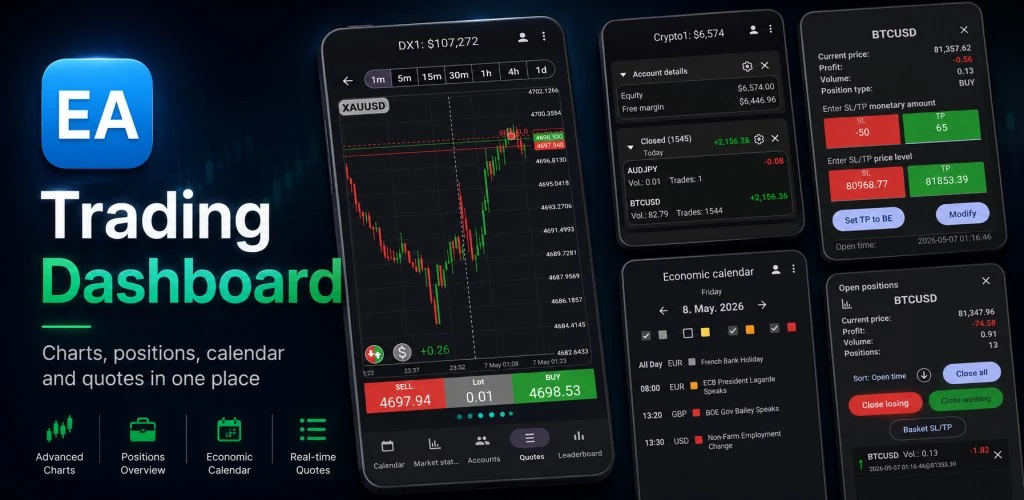
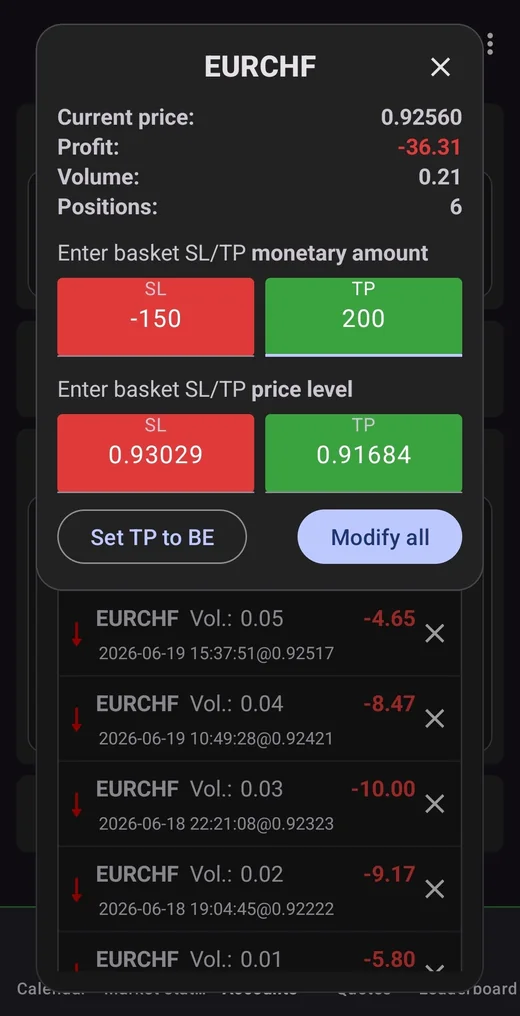
Bulk manage groups of open positions, close losing or winning baskets, and apply basket SL/TP from a practical mobile UI.
Account Watch
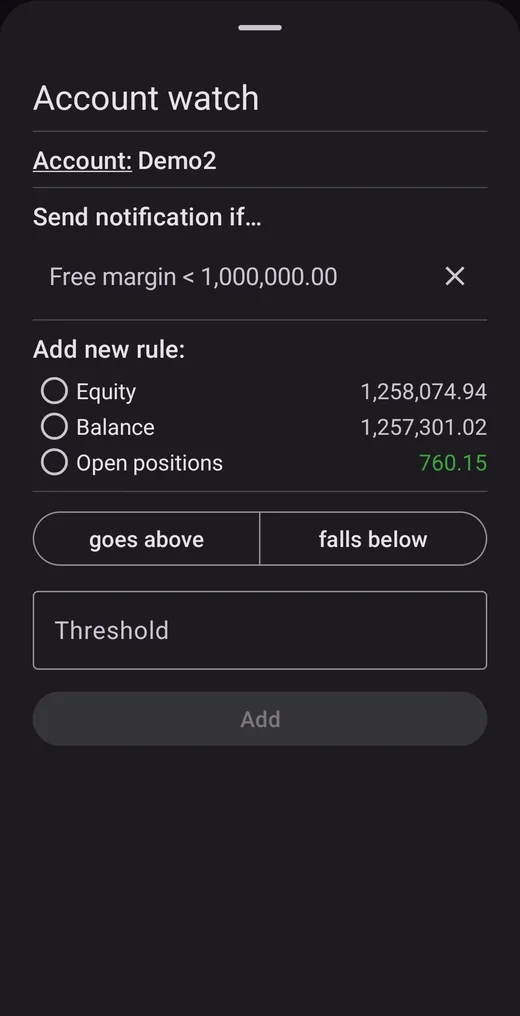
Ultimate users can create watch rules for equity, balance, free margin and open-position sum, then get notifications instead of staring at the screen.
Market highlights
Get localized AI market-summary notifications when significant market movements occur. Available on Standard and Ultimate, even without a paired MT5 account.
Get more from Mobile-EA with a connected account.
You can use the calendar and market tools without an MT5 account. Pairing a terminal adds live account monitoring, broker quotes, trade management and Ultimate Account Watch. Those account features receive fresh data while the terminal is connected and the companion EA is attached and running.
PC, VPS or server
Use the machine where you run MetaTrader 5. Keeping it online gives you live account updates for longer; a VPS or server can be useful when your home PC is off.
MetaTrader 5 + Expert Advisors
Attach the companion Mobile-EA.ex5 to an MT5 chart and enable Algo Trading to connect your account. The setup guide walks you through each step.
WebRequest allowed
For pairing, allow WebRequest to https://mt5-api.mobile-ea.com in MetaTrader 5. This lets the EA share account snapshots and receive your trade-management actions.
The mobile app stays simple. The EA does the terminal work.
When you choose to connect an account, Android never needs direct broker credentials. The companion EA shares snapshots from your MetaTrader 5 terminal, receives your actions, executes them locally in MT5 and reports the result back to the app.
Install Mobile-EA on Android
Sign in and explore the calendar and market tools. Your 14-day Ultimate trial starts at registration. Follow the remaining steps whenever you want to connect an MT5 account.
Download the companion EA
Use Mobile-EA.ex5 (also available from the MQL5 Market) and attach it to any chart in the MetaTrader 5 terminal you want to connect.
Allow WebRequest
In MetaTrader 5, add https://mt5-api.mobile-ea.com under Tools → Options → Expert Advisors → Allow WebRequest for listed URL.
Pair the terminal
Copy the pairing code shown by the EA into the Android app. The account appears in your dashboard and receives live updates while the terminal is connected and the companion EA is running.
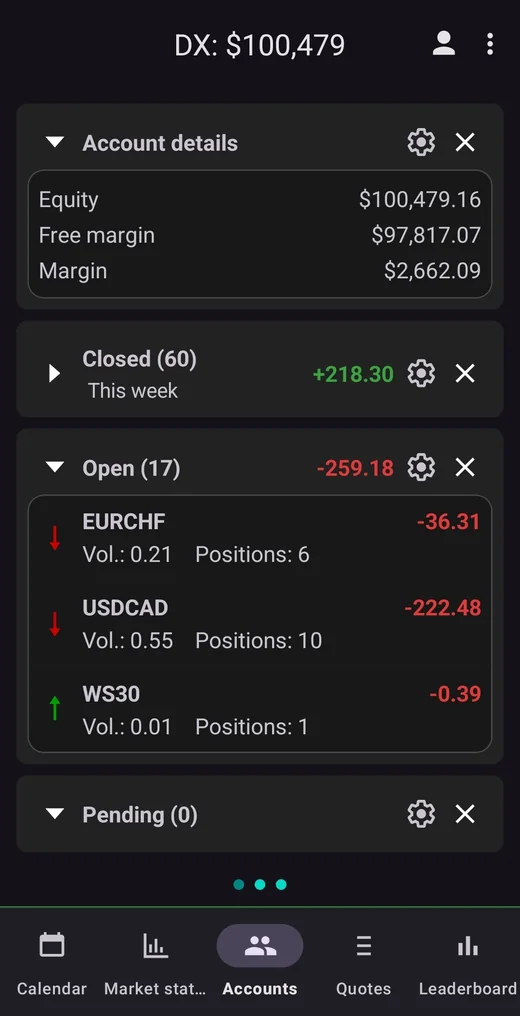
Five sections for one trading routine.
Each section has a specific job: scan the day, read market pressure, manage accounts, check prices and compare performance.
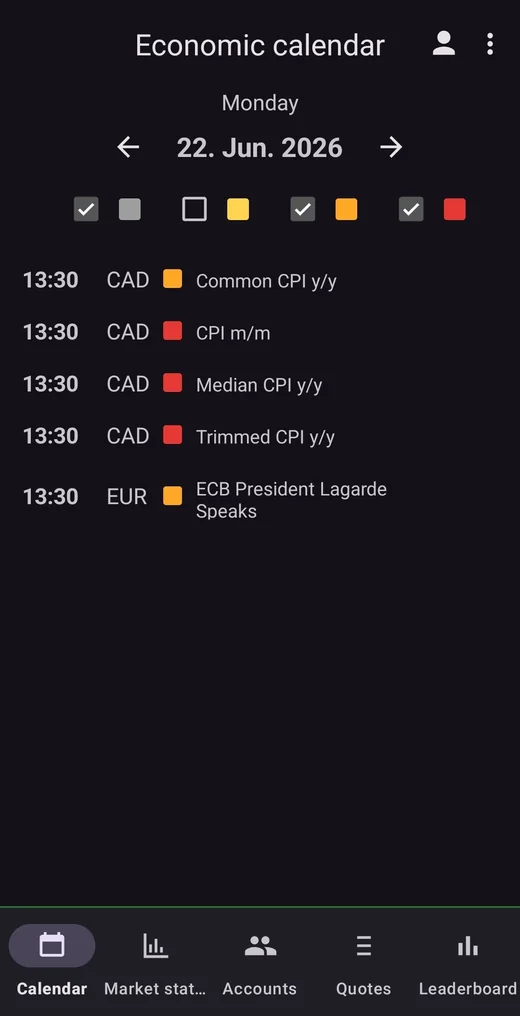
Know what can move the market before it moves your account.
Use the Economic Calendar to scan upcoming events by day, currency and impact level. Open event details for previous, forecast and actual values, then set reminders so important releases do not disappear inside a busy trading session.
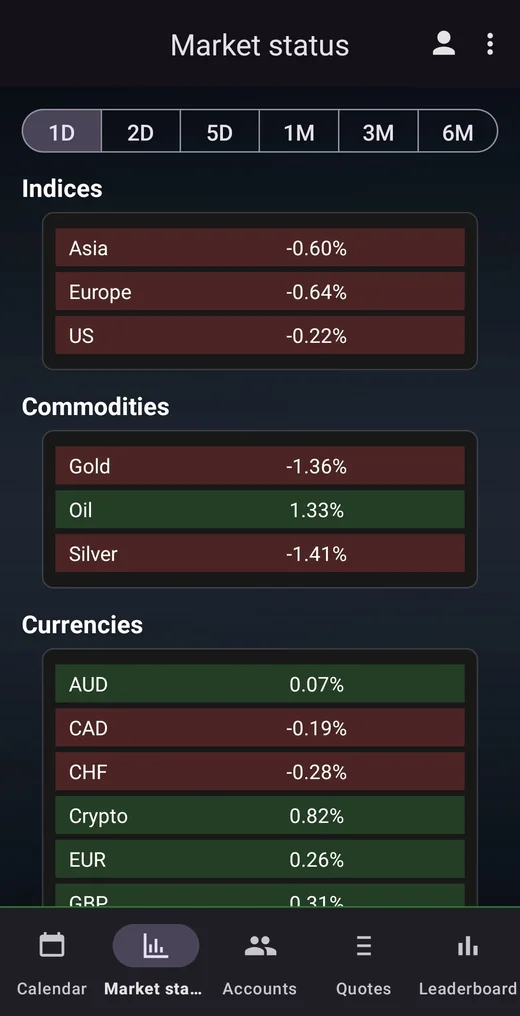
Global snapshot, detail charts and component lists.
Market Status helps you read broad pressure across indices, commodities, currencies, crypto and symbols. Switch periods such as 1D, 2D, 5D, 1M, 3M and 6M, open a detail chart, then sort top components by strongest, weakest or alphabetical view.
Market notifications
Standard and Ultimate include Market highlights: localized AI market-summary notifications when significant market movements occur. They work without a paired MT5 account, and you can enable or disable them separately from calendar reminders and Account Watch alerts in notification settings.
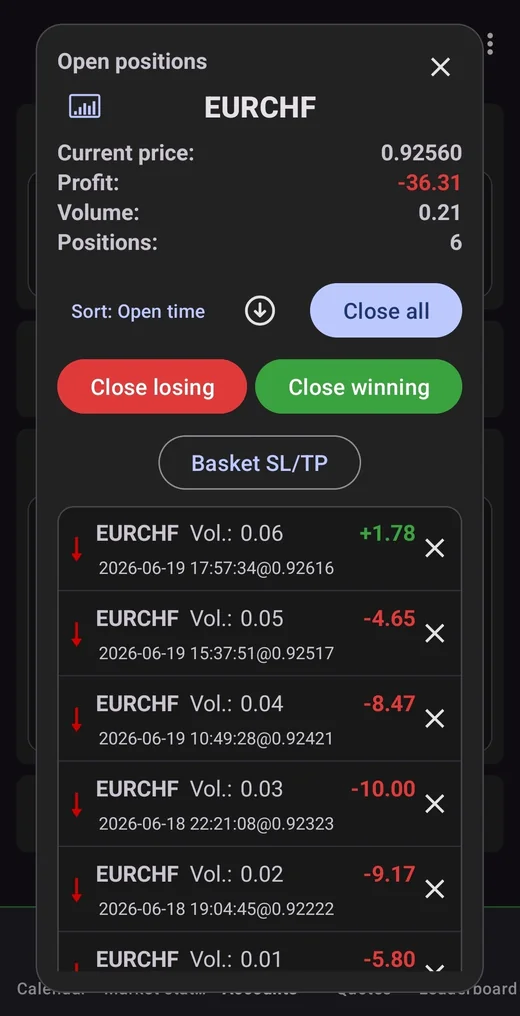
Manage accounts and baskets from a cleaner mobile UI.
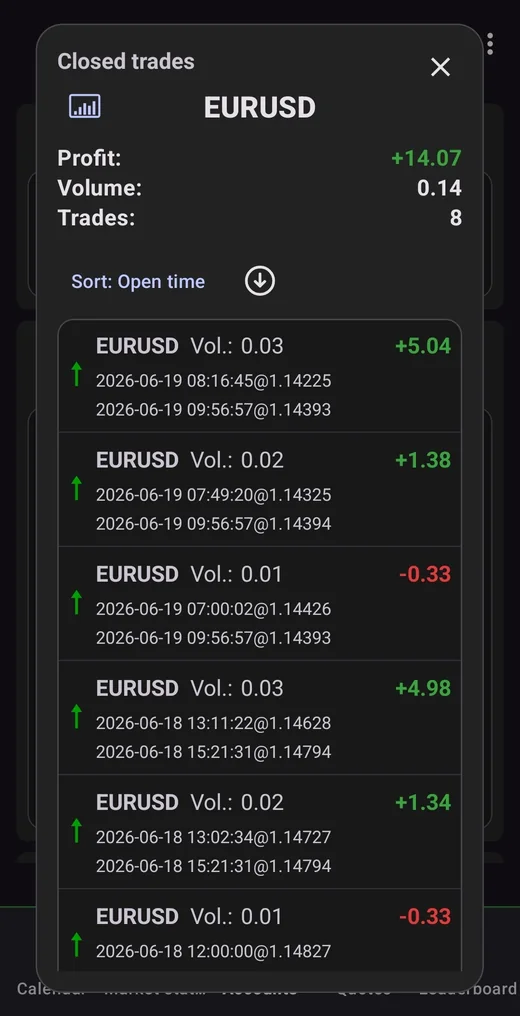
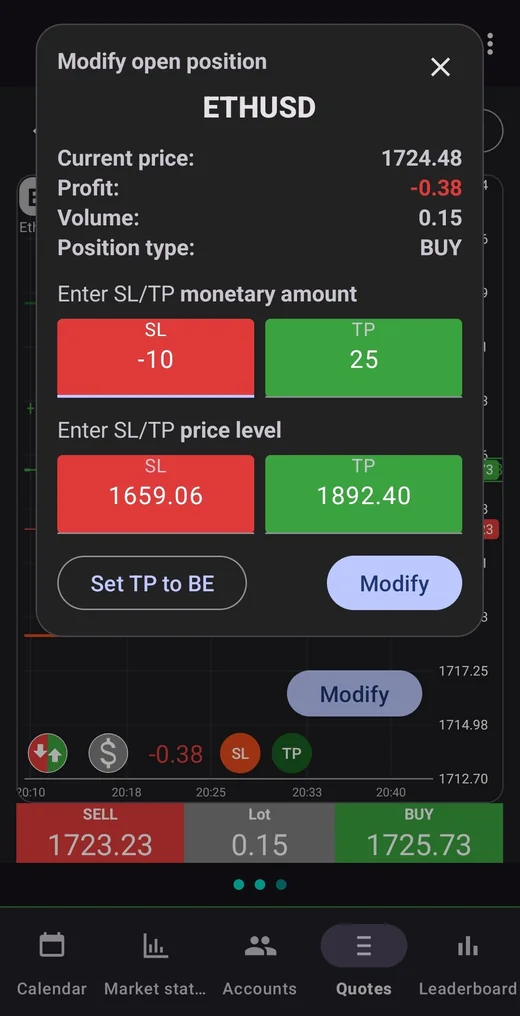
Swipe between accounts, show the account detail fields you care about, drill into open positions, closed trades and pending orders, and take action from the same place. You can close a position, partially close, modify SL/TP, delete or modify pending orders, place pending orders from chart controls and use basket SL/TP for grouped open positions.
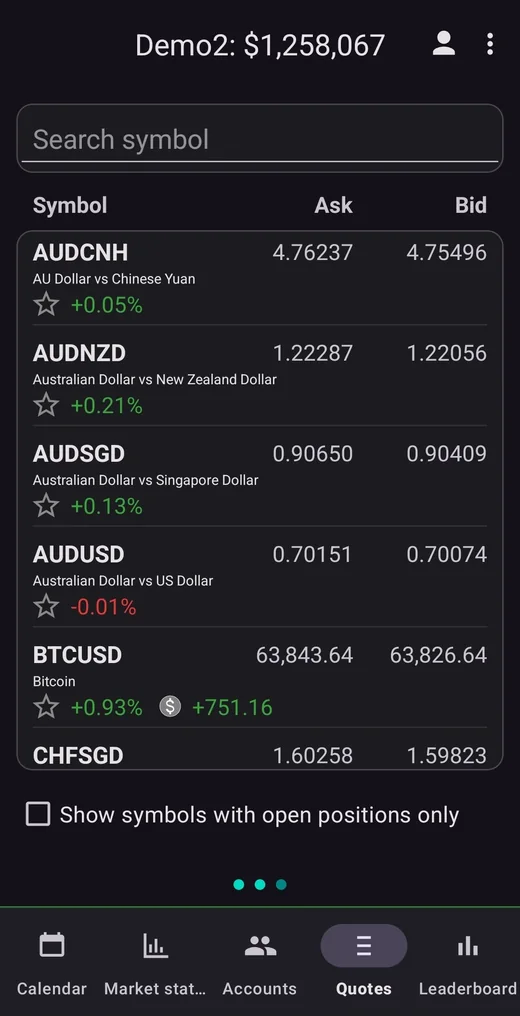
Symbols, bid/ask values and chart-first controls.
Quotes are scoped to the selected broker/account so prices match the terminal that will execute actions. Search symbols, filter to open-position symbols, open chart pages, and use chart actions for market or pending-order workflows when speed matters.
Compare performance with filters that matter.
The Leaderboard view is built around practical trading metrics. Filter and sort by profit, drawdown, profit-to-drawdown, overseen trade percentage and overseen time percentage, then see where your account sits among matching accounts.
Do not monitor constantly. Set watch conditions.
The most powerful Mobile-EA workflow is not simply refreshing faster. It is letting the app watch the account for you. Ultimate Account Watch lets you create above/below rules on connected account values and get notifications when a threshold is reached, based on fresh updates from the companion EA.
Equity
Know when account equity crosses an important line.
Balance
Track balance-level thresholds after closed trade changes.
Free margin
Get warned when margin room becomes too low.
Open positions
Watch the sum of open-position performance.
Start with a 14-day Ultimate trial. Choose the plan that fits.
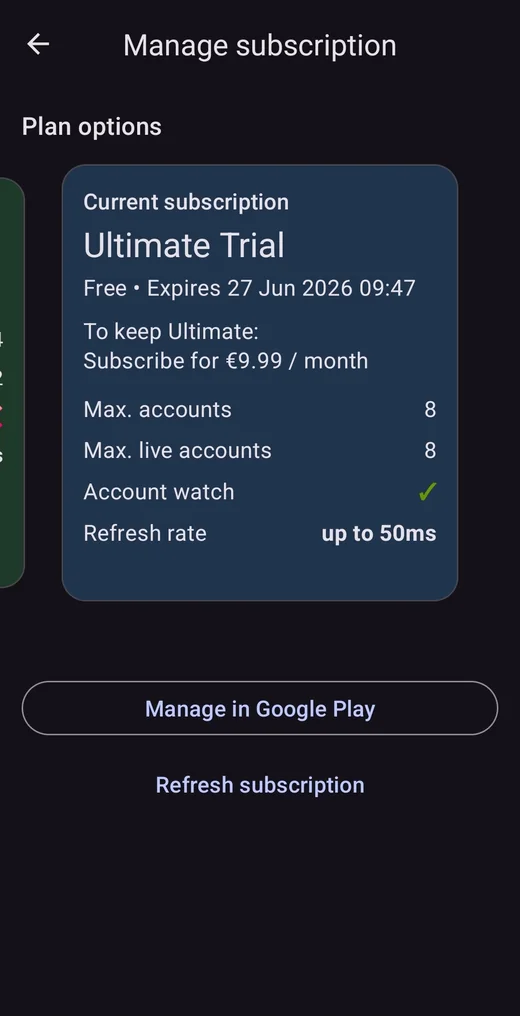
Basic is free. Standard and Ultimate are paid monthly subscriptions, with prices for your country shown in Google Play before you subscribe. New users receive all Ultimate features for 14 days from registration.
Ultimate Trial
- All Ultimate features during trial
- Starts when you register
- Up to 4 terminal accounts
- Up to 4 live accounts
- Market notifications included
- Account Watch included
- Refresh rate up to 50ms
Basic
- Today's economic calendar
- 1-day Market status period
- No terminal account pairing
- No reminders or Market status charts
- No Market notifications or Account Watch
- Refresh rate up to 5s
Standard
- 1 terminal account, including live
- Full calendar and reminders
- Market status charts and all periods
- Market notifications included
- No Account Watch
- Refresh rate up to 500ms
Ultimate
- Up to 4 terminal accounts
- Up to 4 live accounts
- All Standard plan features
- Market notifications included
- Fastest refresh rate: up to 50ms
- Account Watch notifications
| Feature | Basic | Standard | Ultimate |
|---|---|---|---|
| Linked terminal accounts | 0 | 1 | 4 |
| Live account limit | 0 | 1 | 4 |
| Full calendar | Today only | Included | Included |
| Calendar reminders | — | Included | Included |
| Market status charts | — | Included | Included |
| Market status periods | 1-day period only | All periods | All periods |
| Market notifications | — | Included | Included |
| Account Watch alerts | — | — | Included |
| Refresh rate | Up to 5s | Up to 500ms | Up to 50ms |
| Best fit | Calendar and market overview | Full market tools and one terminal | Multiple terminals, alerts and maximum speed |
Ultimate Trial includes all features in the Ultimate column for 14 days from registration. Refresh rates are plan pacing targets; actual updates depend on terminal connectivity, network conditions and server load.
Start exploring. Connect a terminal when you are ready.
Use Mobile-EA for the calendar and market tools on Android, with or without an MT5 account. Pair a terminal to add live account monitoring and trade management. Broker execution happens in your own terminal through the companion EA.
Bring your market routine to Android.
Install Mobile-EA and start your 14-day Ultimate trial. Explore the calendar and market tools today, then connect an MT5 account whenever you want to unlock live account workflows.